Showing posts with label eyebrows. Show all posts

Wednesday, 22 October 2014

"Frozen" Makeup Tutorial- Become Elsa or Anna!


Snow queen Elsa and her sister the fearless optimist Anna are both beautiful, independent women in the frozen kingdom of Arendelle. While enduring the infinite winter, these two sisters struggle with real-world issues like independence, family dynamics, and finding their prince charming. 

"Let It Go" and bring out your inner Frozen princess with our step-by-step makeup tutorial using YouCam Makeup.


Elsa "The Snow Queen" Tutorial in 10 Steps
Elsa's porcelain complexion, pink lips, smoky purple eyes and perfect eyebrows are easy to achieve with this magical makeover!
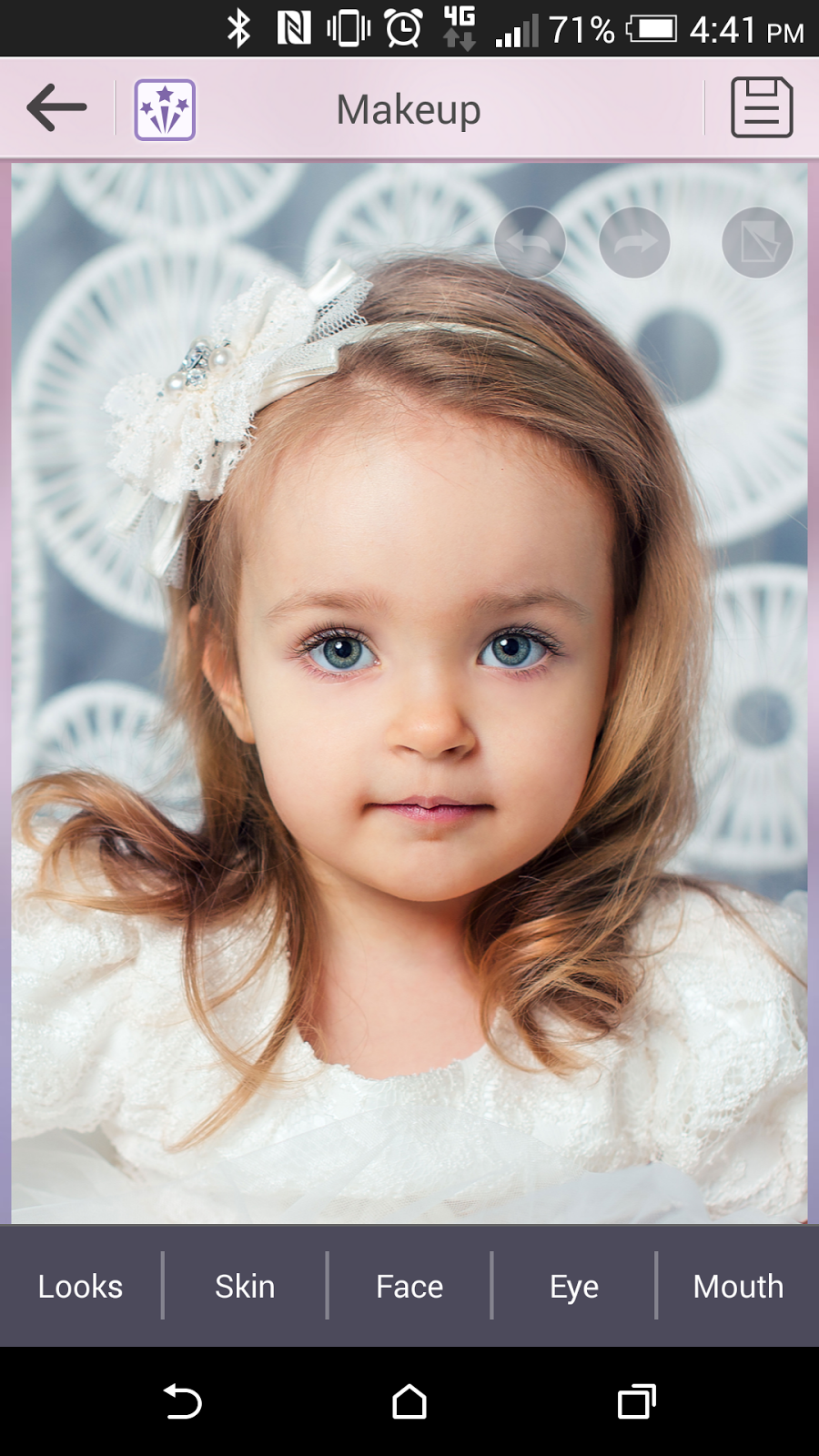
1. Download and open the YouCam Makeup app, available for Android devices, iPhone and iPad. 

2. Select your photo from the Photo Album and click Skin to begin applying makeup.


3. To achieve Elsa's snow white face, select Foundation in the lightest shade.


4. To get the snow queen's rosy cheeks, select Skin and select Blush in the baby pink shade higher than 60 percent (use the slider to adjust the intensity).
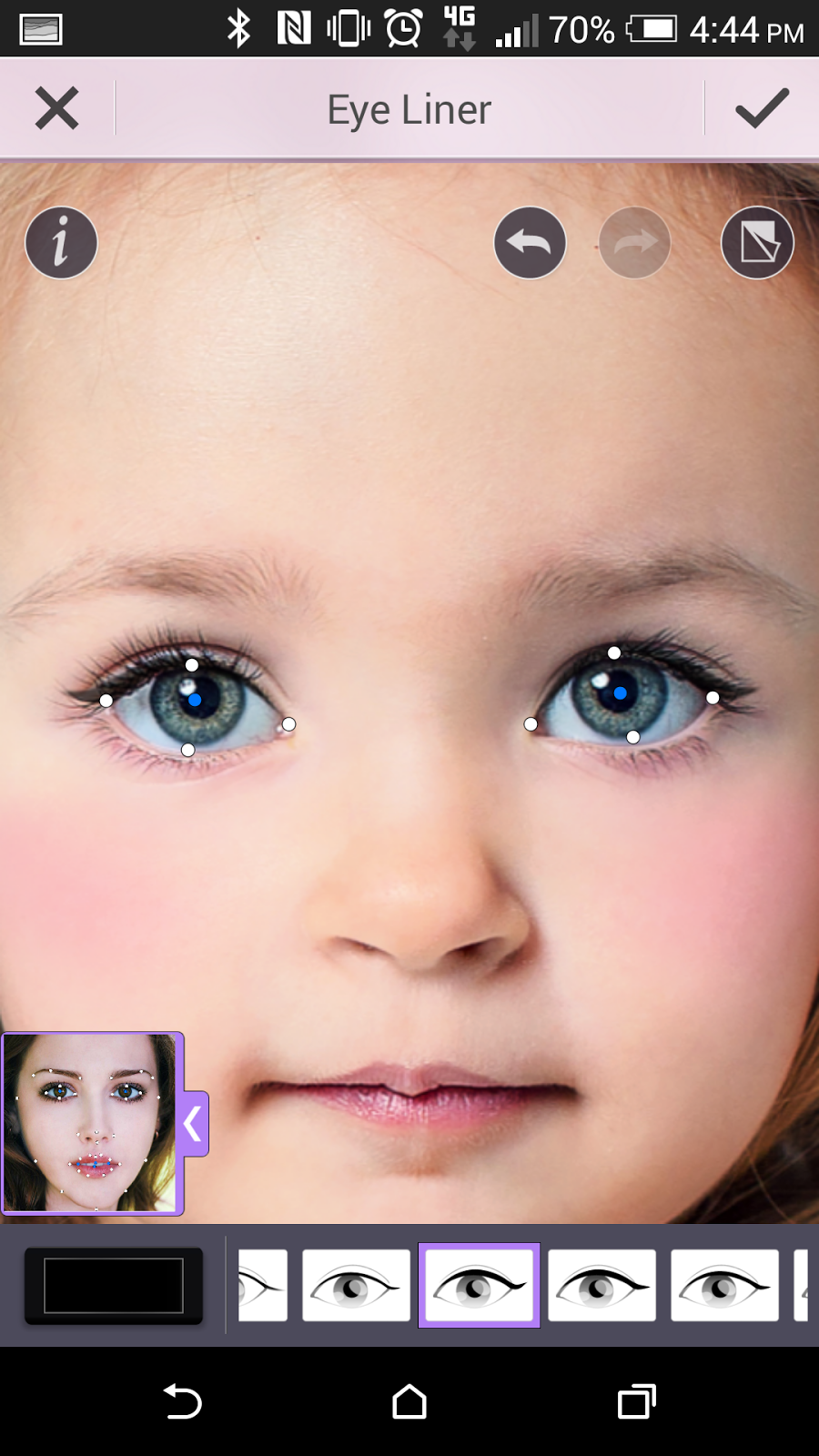
5. To make your eyes pop like Elsa's, first line the eyes by selecting Eyes and Eye Liner in black selecting the strong winged style of liner.
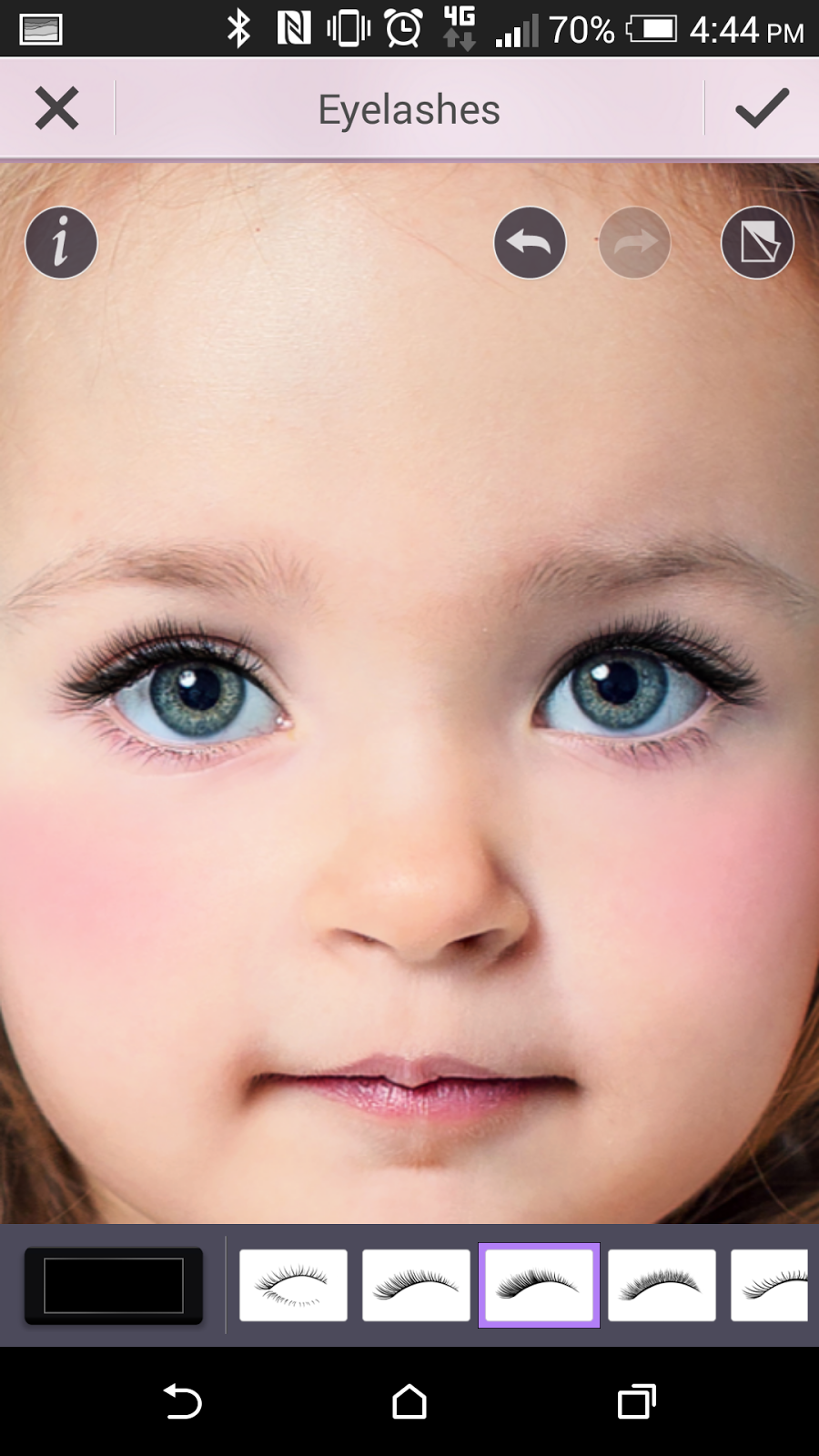


6. Elsa also has long lashes, so to achieve this select Eyelashes and apply the thick black lashes. 

7. For Elsa's signature purple smoky eye 
look, select Eyeshadow and chose the colors for the three shades of purple, 1 the lightest shade of purple, 2 the darkest shade, and 3 a middle hue of purple. Use the strongest shadow application by selecting the style in the eyeshadow application maps that gives you the fullest coverage for your eye. 


8. Elsa's dark brown eyebrows are also perfectly arched. To get her symmetrical brows, select Eyebrows and use the darkest coffee color. Select the brow style that is straight, thick, and slightly tapers at the end. Use 100% shape and 100% color for the fullest brows. 


9. Pouty pink lips are also part of Elsa's look. To get her lipstick color, select Lips and Lipstick in magenta at 50% and the glossy style lipstick. 


10. For even more fun after you've completed your Elsa Frozen makeup look, save your photo and select one of the YouCam Perfect Collages to place yourself or your little girl together with the real Elasa character side-by-side. Select from collages with 2-6 photos!


Princess Anna Tutorial in 10 Steps

Want to build a snowman? Try out this innocent and charming princess Anna makeup look first
!

1. If you haven’t already, download and open the YouCam Makeup app, available for Android devices, iPhone and iPad. 

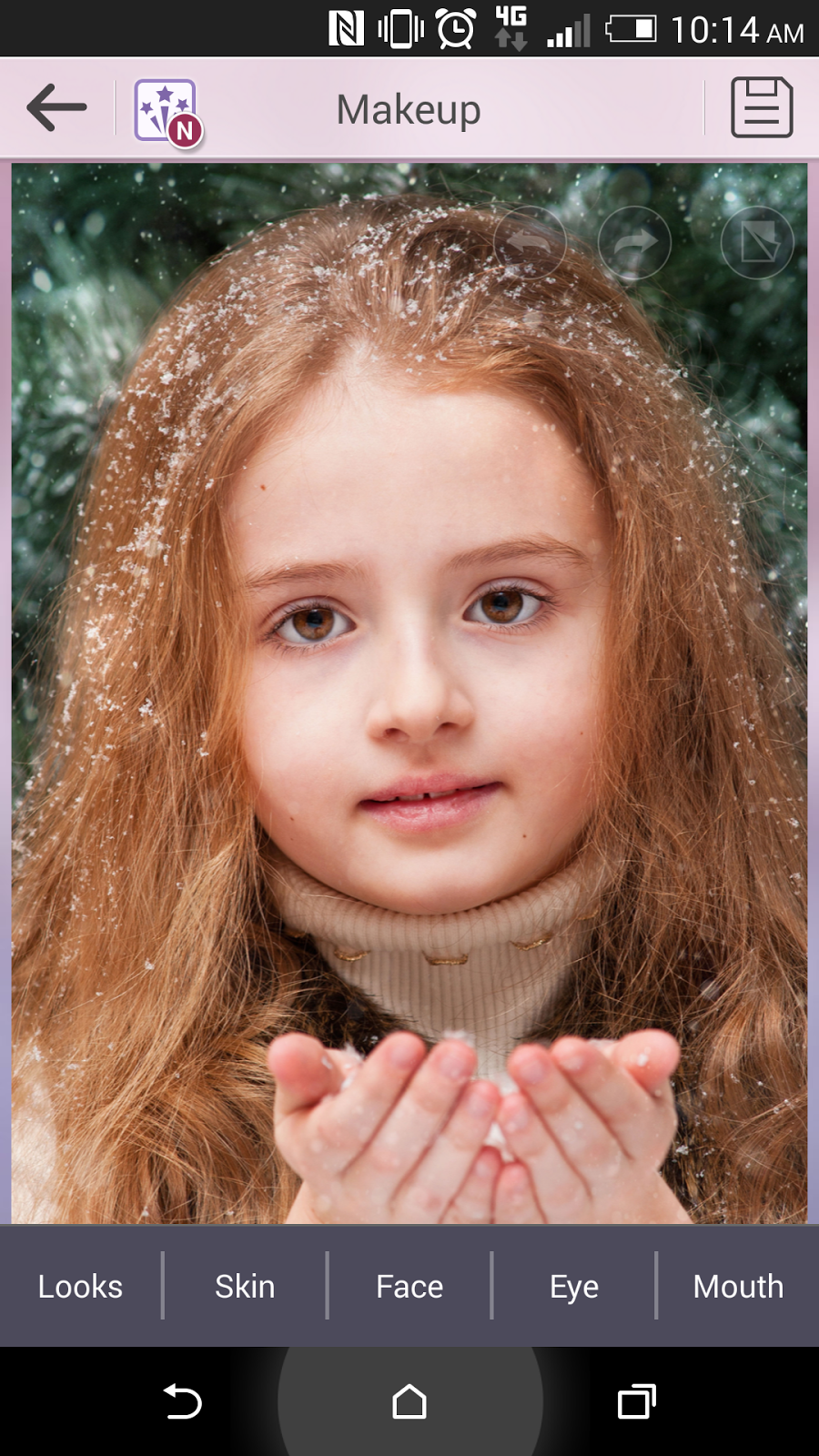
2. Select your photo from the Photo Album. Depending on your own skin tone, you may want to add foundation to make your skin more peachy like Anna’s. To do this, select Skin and Foundation to pick a peach shade.

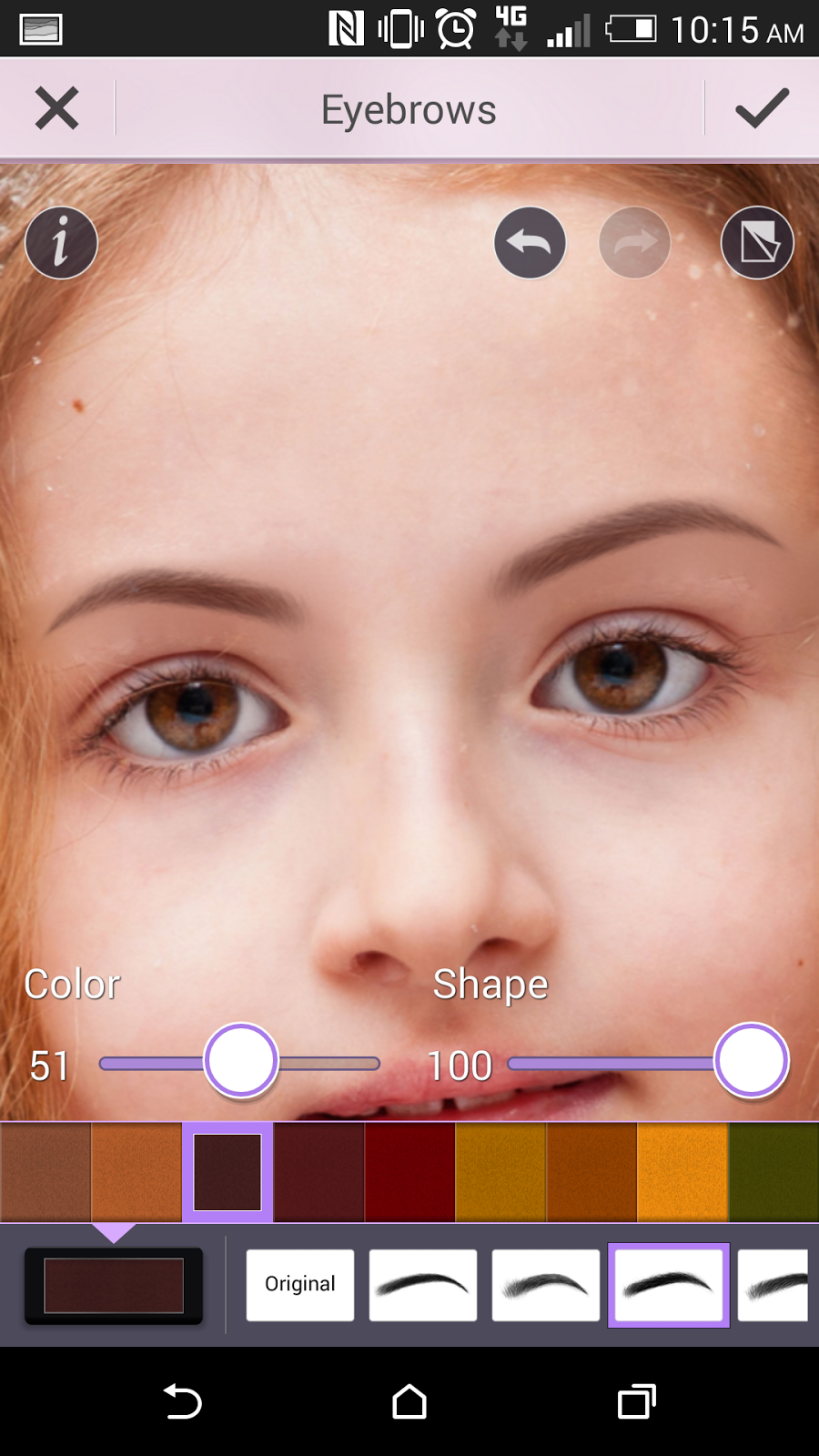
3. Anna's eyebrows are dark and full. To make your brows more like her, go to Eyes and select Eyebrows and use the darkest coffee color. Select the brow style that is straight, thick, and slightly tapers at the end. Use 100% shape and 51% color for full yet soft arches (use the slider to adjust the color intensity).


4. Anna has genuine doe eyes, big and gentle. To make eyes more like hers, select Eye Liner and click "+" to download one of the new eyeliner looks with the soft shadow under the bottom lash line. Download the look and "use" it to apply to your own photo.

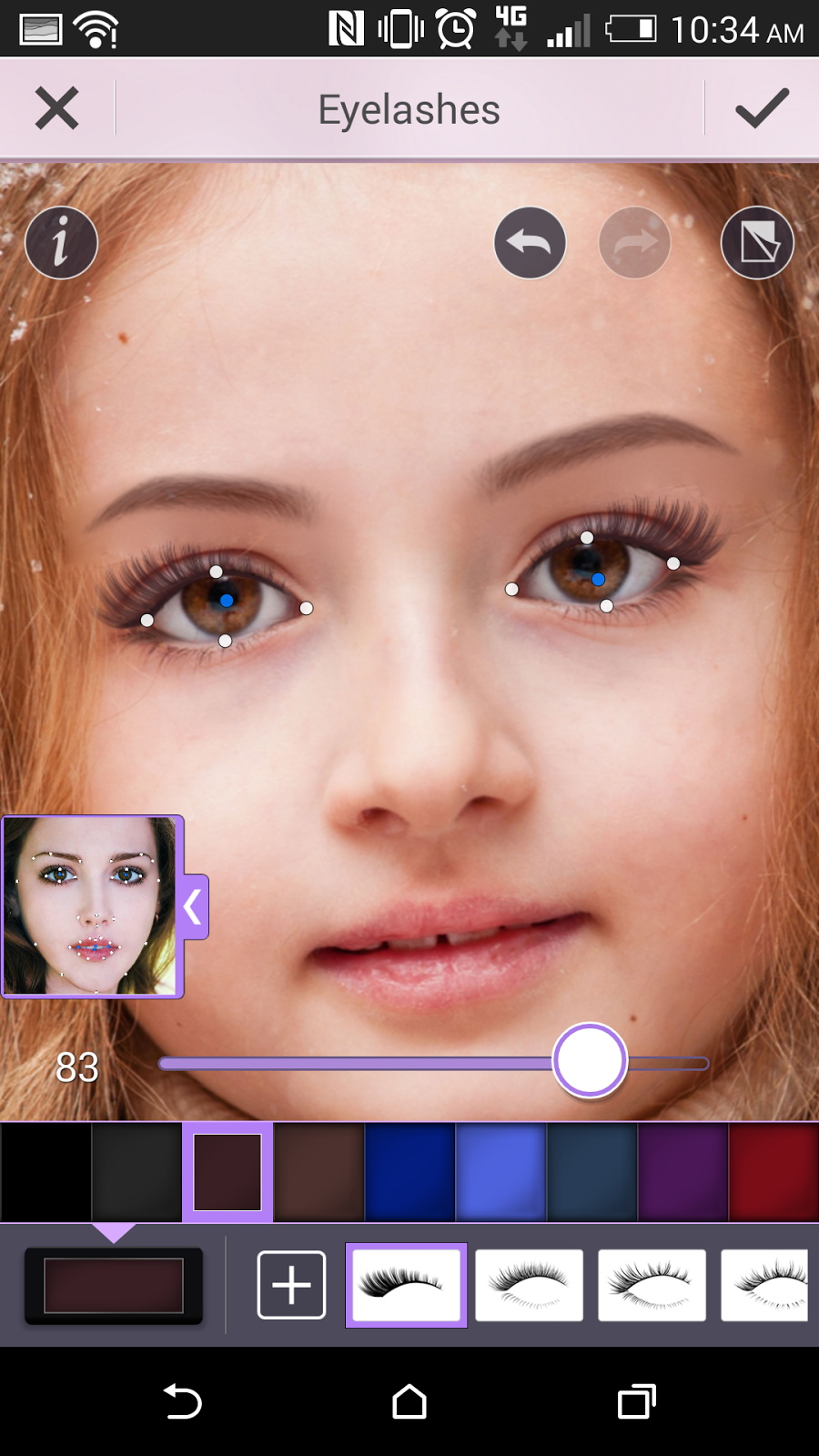
5. Anna's lashes are particularly long and full. To achieve this youthful look, select Eyelashes and and click "+" to download one of the new lash styles, the fullest and longest dramatic lashes. Download the look and "use" it to apply to your own photo. Use dark brown color for the lashes around 80% to soften them (use the slider to adjust).


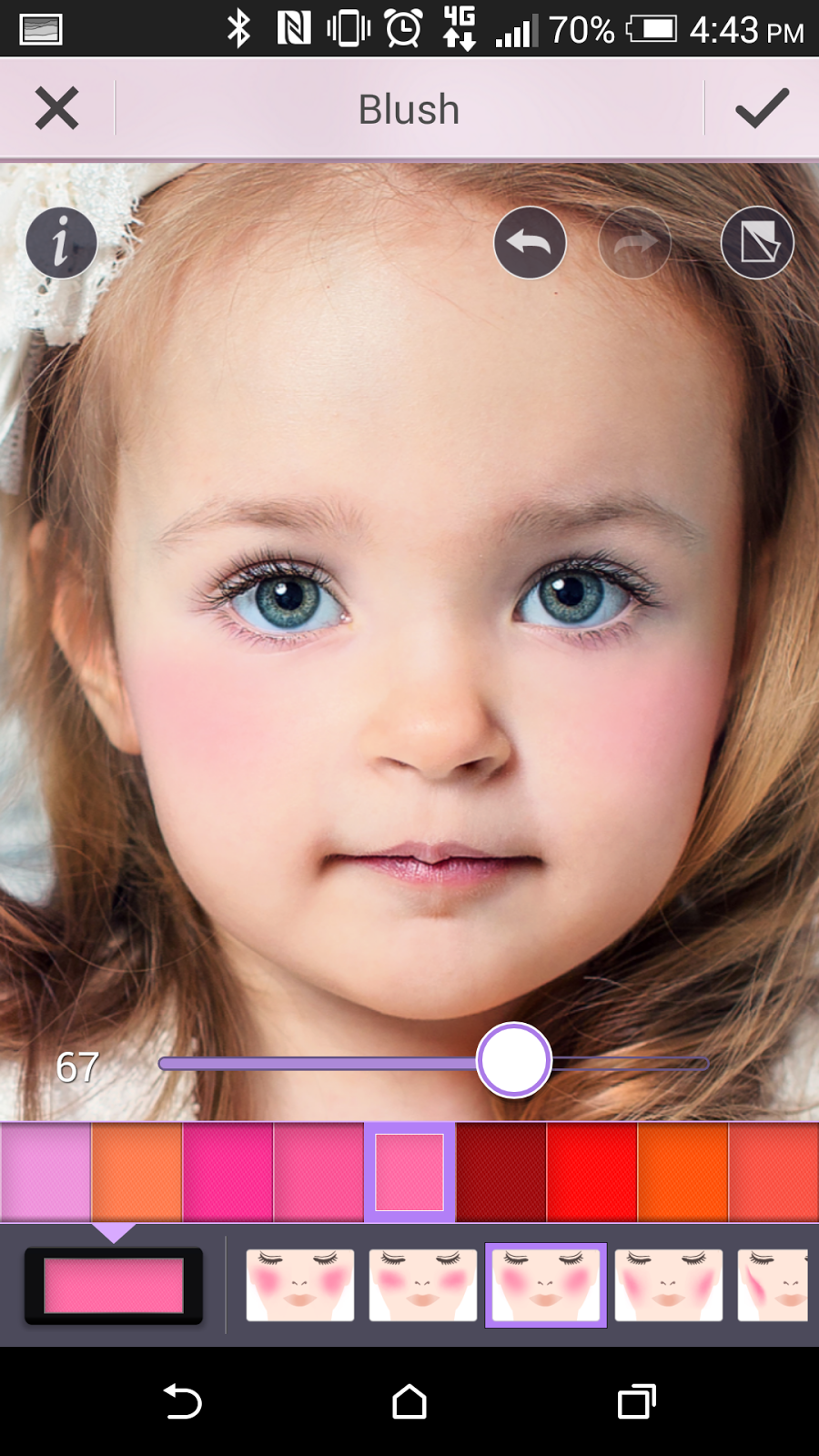
6. To get the princess's warm, rosy cheeks, select Skin and select Blush in the bright middle shade of pink around 80% (use the slider to adjust).


7. Anna has glossy pink lips. To get her lip color, select Lips and Lipstick in dark pink at around 30% and select the glossy lipstick style.


8. For Anna's simple brown eye shadow, select Eyeshadow and in the color palette and download one of the new shadows. Click "^" to get more colors and select "Sahara Surprise." Download the palette and "use" it to apply to your own photo.


9. Use the strongest shadow application by selecting the style in the eyeshadow application maps that gives you the fullest coverage for your eye.

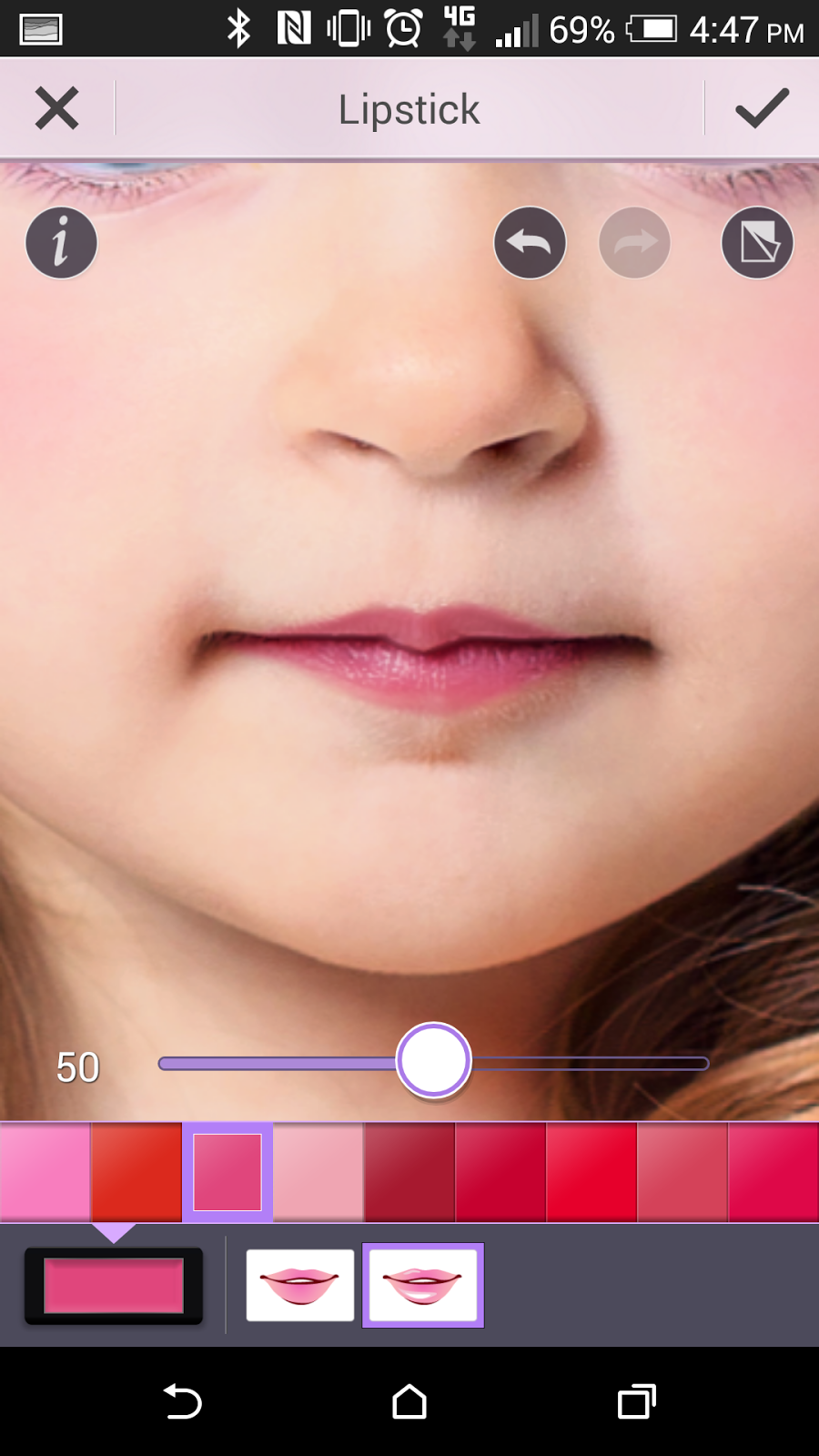

10. For even more fun after you've completed your Anna Frozen makeup look, save your photo and select one of the YouCam Perfect Collages! Show off your Frozen style together with Anna. 


Monday, 13 October 2014

5 Amazing Before-and-After Eyebrow Transformations


Celebs such as Cara Delevingne and Lily Collins have brought the "power brows" back to the forefront of style. Whether its the thick, bushy Brooke Shields brows or the more refined Jennifer Aniston arches, our shopping habits tell us that we just can't get enough of enhancing our eyebrows. This year alone, eyebrow makeup sales have increased 33% according to the NPD Group. 

Before you go out and spend money on new eyebrow products, YouCam Makeup can help you decide which color and style of brows is best for you. Take a look at the before and after photos based on the different face shapes to get some ideas of which brow is best suited for you.

Before & After Eyebrow Transformations:

Oval Faces
Your Best Brows: The perfect eyebrow shape for you is the soft angled eyebrow shape. The soft angled shape goes straight up and then gently curves round at the top and down. 

Famous Oval Shaped Faces: Beyonce, Jessica Alba, Cameron Diaz

Before (left), After applying eyebrows with YouCam Makeup (right)

Long Faces
Your Best Brows: Use a straighter brow and gentle arch to help widen and flatter your long face. Avoid selecting high arches that will make your face appear thinner.

Famous Long Faces: Sarah Jessica Parker, Liv Tyler, Celine Dion

 
Before (left), After applying eyebrows with YouCam Makeup (right)

Round Faces
Your Best Brows: Go for fuller brows with a sharp, angled arch to give structure to your round face. You face will appear wider the farther the arch is from your nose.

Famous Round Faces: Kirsten Dunst, Emma Stone, Adele


 Before (left), After applying eyebrows with YouCam Makeup (right)

Square Faces
Your Best Brows: For your square shape, a high, curved arch works well because it softens and elongates your face. A square jaw is your strong feature, but you can balance it with a strong brow or soften it with curves.

Famous Square Faces: Angelina Jolie, Gwyneth Paltrow, Demi Moore

 
Before (left), After selecting color and shape with YouCam Makeup (right)

Heart-shaped Faces
Your Best Brows: Choose a fuller shape and a soft arch to balance a longer chin. Apply rounded brows for a feminine and attractive result.

Famous Heart-Shaped Faces: Reese Witherspoon, Taylor Swift, Scarlett Johannson

Before (left), After applying eyebrows with YouCam Makeup (right)


Where Can I Get YouCam Makeup?
YouCam Makeup is the virtual cosmetic kit in your pocket and the smart way to create makeup styles to match your lifestyle. The smart facial detection senses facial features and shapes with greater accuracy than any other app, making cosmetic style overlays look true-to-life. 

Try YouCam Makeup for free on the ITunes App Store for iOS and on the Google play Store for Android.

Note: The YouCam Makeup eyebrow feature is now available on Android and is coming soon to iOS.

Disclaimer: CyberLink software and apps are provided “AS IS”. CyberLink is not responsible for lost data, wasted time, or damages to your hardware. CyberLink reserves the right to share your personal information with our marketing partners. By using CyberLink software, you waive your rights as a consumer.