Showing posts with label costume makeup. Show all posts

Tuesday, 9 December 2014

The 5 Must-Have Holiday Makeup Looks


Hey ladies! Are you looking for some new Christmas and New Year's makeup ideas to get your holiday parties started? Let us help inspire you with our top 5 must-have holiday makeup looks! You are sure to be the prettiest present under the tree this year.

Take a look at these makeup tips & looks to get you through all of your pre-Christmas drinks with friends, main traditional festivities with family, and while you party it up on New Year's Eve!

Tip 1- Golden Eye Shadow and Dark Liner

This classy golden glam look will have you ready for all your Christmas and New Year's parties! The metallic shimmer will give you that extra holiday sparkle, but because the color is between the lid and the crease (and not all the way up to the brow bone) it is still very chic & modern. To make your eyes pop, line the top and bottom of your eyes with a dark grey or black charcoal liner to get a sultry finish. If you are feeling extra spirit, you can add rhinestones and at the corners of your eyes and on your cheeks. 

For this golden look, check out the abstract butterfly look:

Above: YouCam Makeup's Butterfly Look


Tip 2- Glam (Fake) Lashes, Get Mistletoe Ready

Over-the-top lashes can be fun during the holiday season. Don't be afraid to try out different types of lashes at this time of year, including falsies made from feathers or even lace. This full drama look with lace lashes and green shadow will surely turn heads when you walk in the room. If you are not brave enough to wear false lashes in other occasion, then Christmas and New Year's are the right occasions to put them. Straight, clean brows and a matte dark coral lip finish the look. 

Get inspired for this dramatic lash look by checking out our lace lashes:

Above: YouCam Makeup's Mistletoe Look

Tip 3- Wintry Blue & White to Become a Snow Angel

No need to roll around in the snow to create this angelic look! The longest blue & white feather false lashes are the key to creating this heavenly look. Ruby pink lips, cherub pink cheeks, and rhinestones top it off. Everyone will love this fun and elegant look as you show off your angelic side.

Take a look at our makeup combination below:

Above: YouCam Makeup's Snow Angel Look

Tip 4- Classic Red Lips Bring Yuletide Joy

Cranberry gloss on your lips, a smudged cat-eye and full brows create a sultry and festive look that is not overdone. We’re in love with this evening look that shows off your radiant skin with a touch of blush, long lashes and a powerful red pout for a flawless finish. We've embellished this look with holly and ivy if you're bold enough to try!

Our sultry Christmas look:

Above: YouCam Makeup's Yueltide Look

Tip 5- Costume Makeup, Elsa the Ice Queen

Before you go out and build a snowman, showcase your inner ice queen with this stunning eye makeup! The pearlized violet hues are ultra flattering for all eye colors and on trend this season. If you haven’t tried purple makeup yet, now is the time. Create your glamorous bold eye with light and dark purple eye shadow. Add a classic black winged liner that is edgy yet wearable. Lips are coated with a matte wild orchid color to let your eyes really take the stage. Draw or stick on some flirty snowflakes on your eyes and cheeks if you want a more dramatic wintry look.

Our version of Elsa the Ice Queen:

Above: YouCam Makeup's Elsa Look

How can I try these makeup looks on myself?

Download the Free YouCam Makeup app today to play with all of these preset looks and more, using CyberLink's facial recognition technology on your own photos. Don't spend another penny on makeup products until you try out all the colors and styles that look best on you first!

Try it out today for free on the ITunes App Store for iOS and on the Google play Store for Android.

Wednesday, 22 October 2014

"Frozen" Makeup Tutorial- Become Elsa or Anna!


Snow queen Elsa and her sister the fearless optimist Anna are both beautiful, independent women in the frozen kingdom of Arendelle. While enduring the infinite winter, these two sisters struggle with real-world issues like independence, family dynamics, and finding their prince charming. 

"Let It Go" and bring out your inner Frozen princess with our step-by-step makeup tutorial using YouCam Makeup.


Elsa "The Snow Queen" Tutorial in 10 Steps
Elsa's porcelain complexion, pink lips, smoky purple eyes and perfect eyebrows are easy to achieve with this magical makeover!

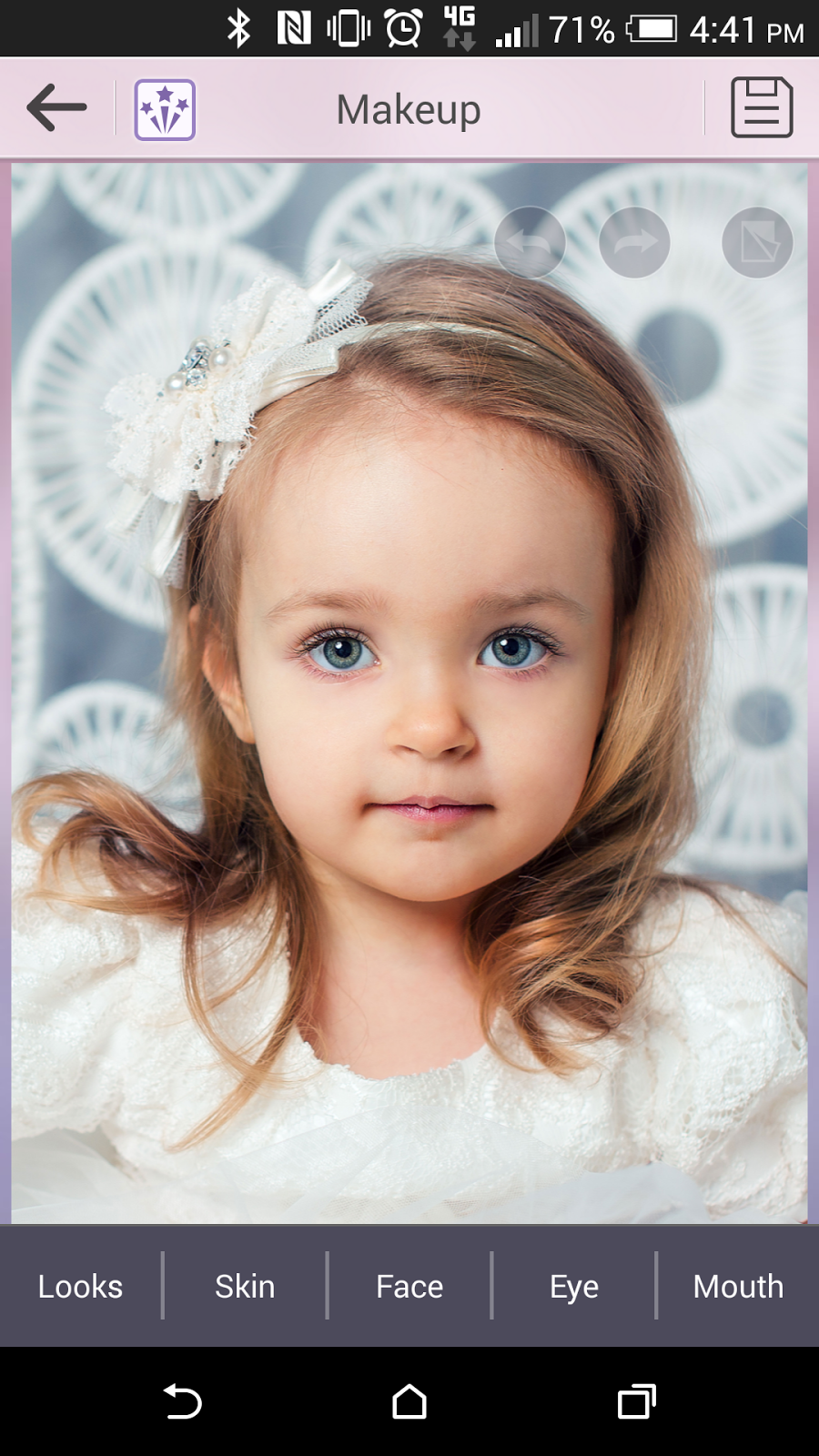
1. Download and open the YouCam Makeup app, available for Android devices, iPhone and iPad. 

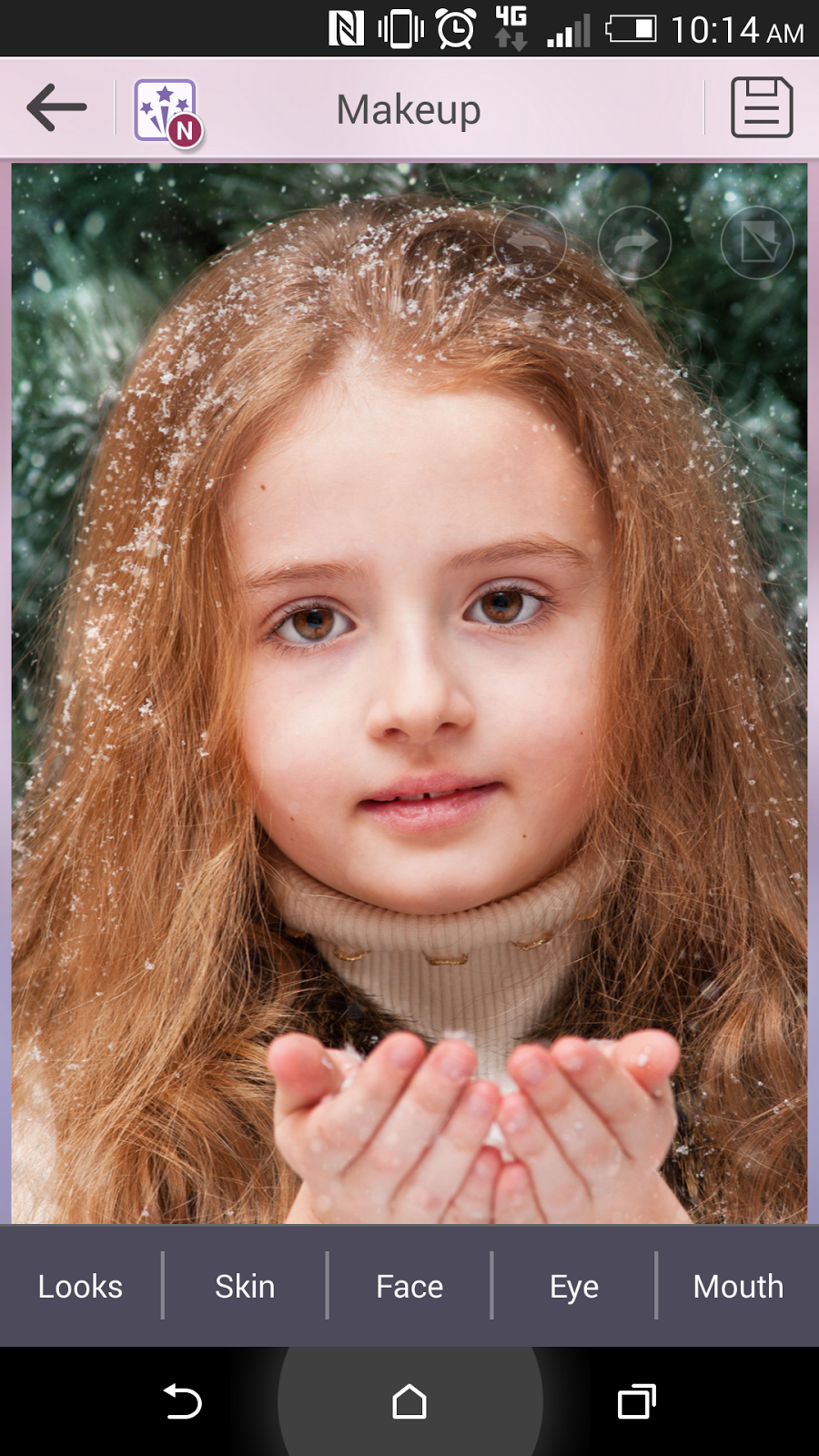
2. Select your photo from the Photo Album and click Skin to begin applying makeup.


3. To achieve Elsa's snow white face, select Foundation in the lightest shade.


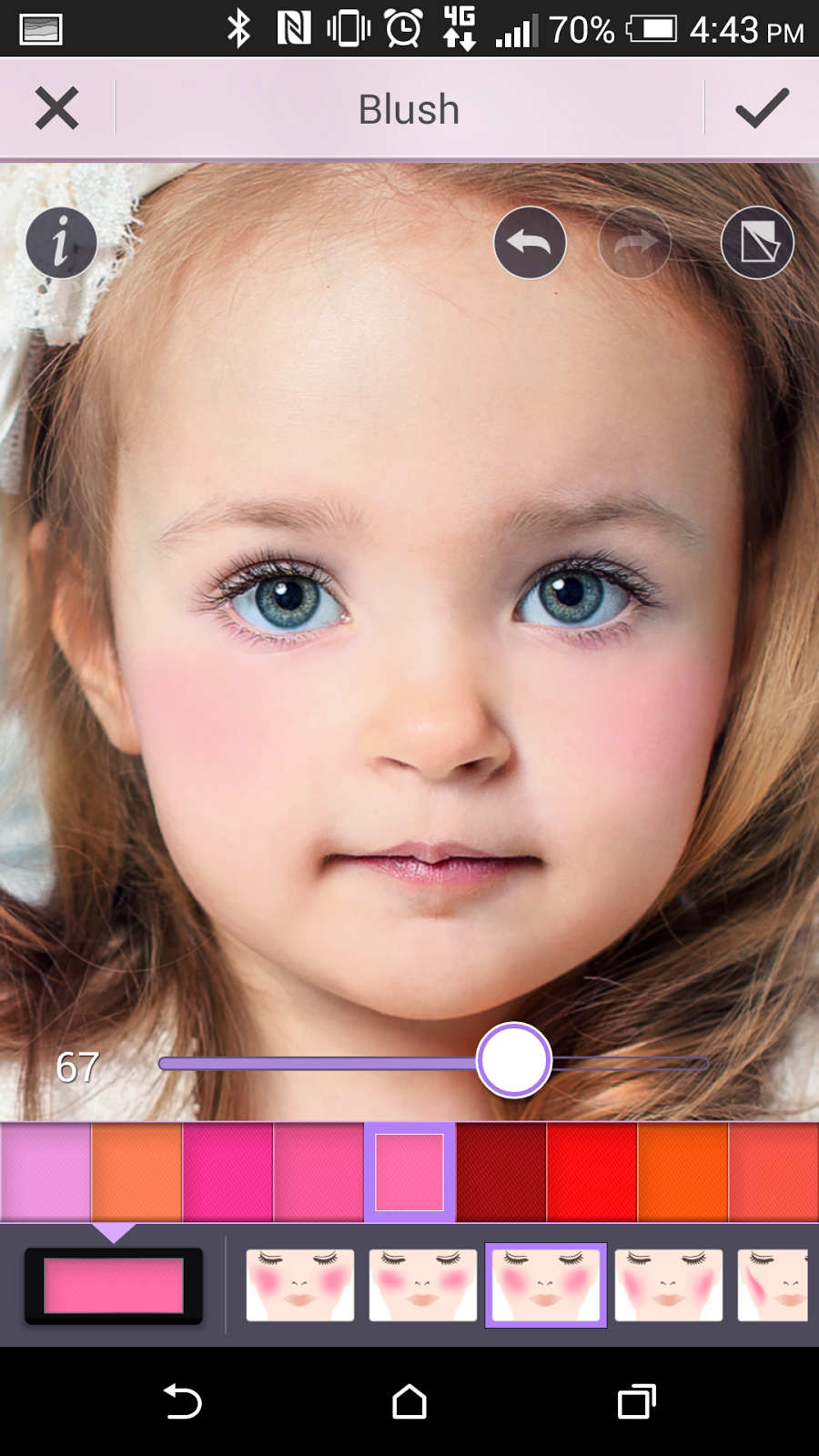
4. To get the snow queen's rosy cheeks, select Skin and select Blush in the baby pink shade higher than 60 percent (use the slider to adjust the intensity).

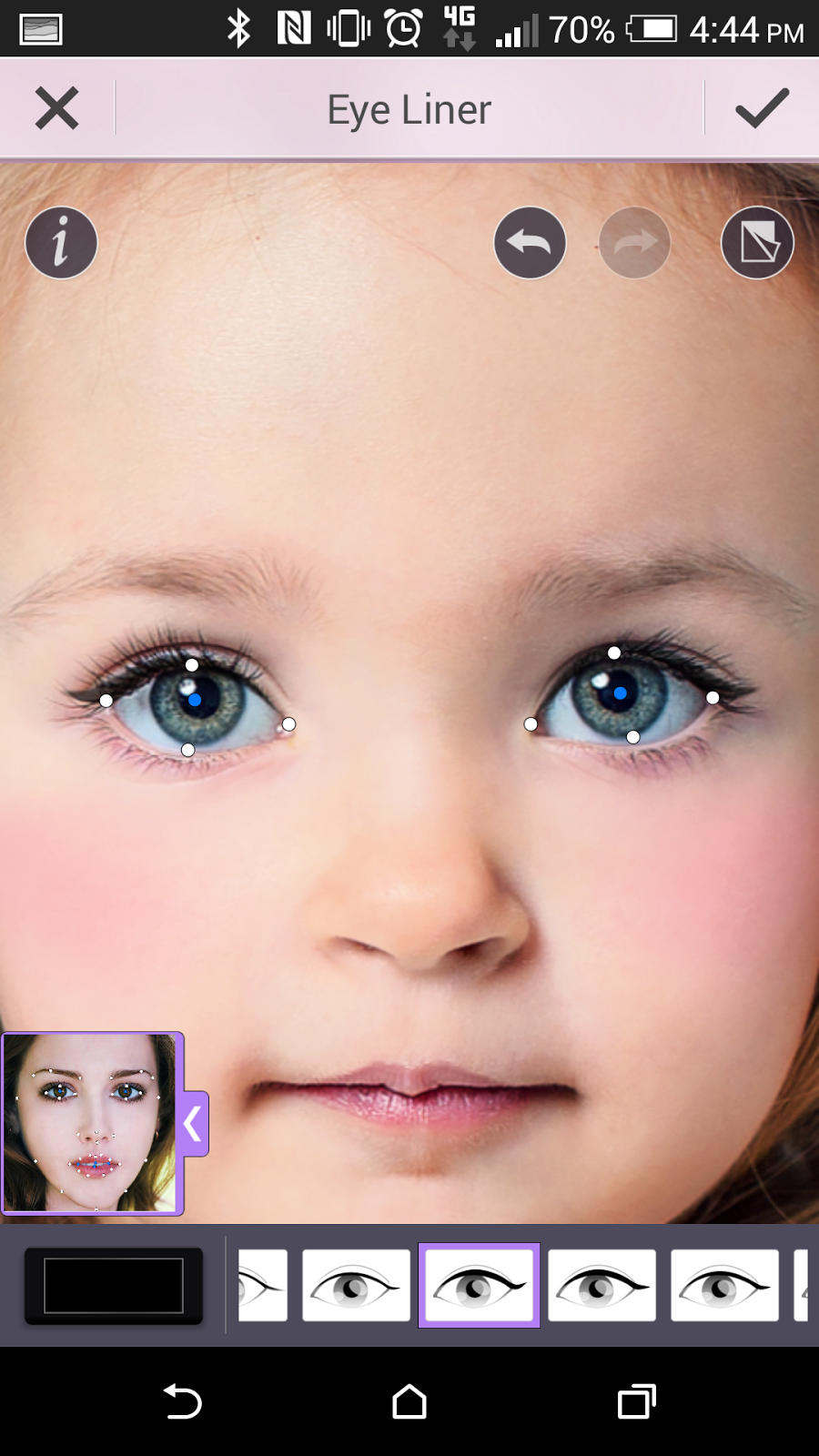
5. To make your eyes pop like Elsa's, first line the eyes by selecting Eyes and Eye Liner in black selecting the strong winged style of liner.


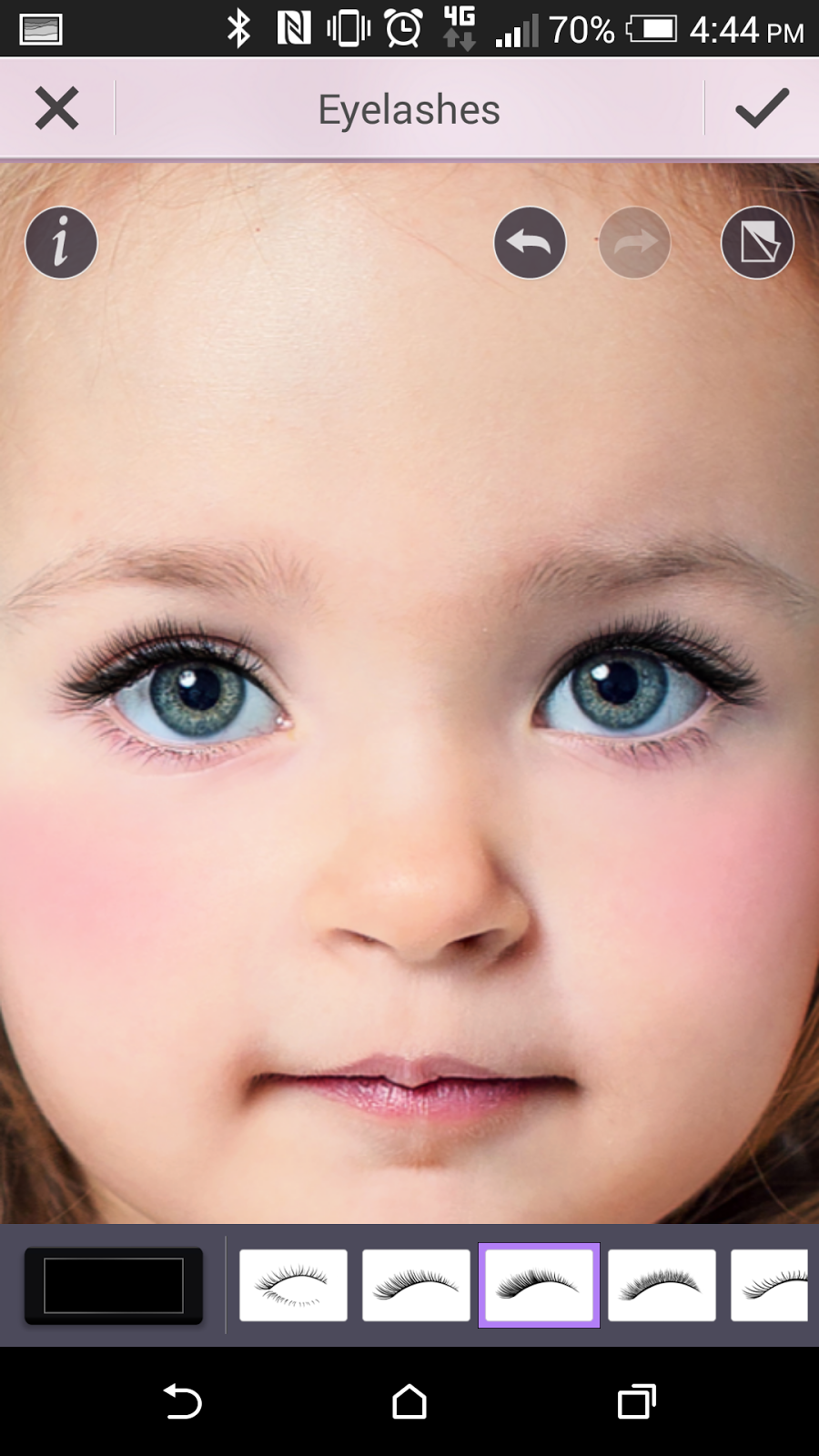
6. Elsa also has long lashes, so to achieve this select Eyelashes and apply the thick black lashes. 

7. For Elsa's signature purple smoky eye 
look, select Eyeshadow and chose the colors for the three shades of purple, 1 the lightest shade of purple, 2 the darkest shade, and 3 a middle hue of purple. Use the strongest shadow application by selecting the style in the eyeshadow application maps that gives you the fullest coverage for your eye


8. Elsa's dark brown eyebrows are also perfectly arched. To get her symmetrical brows, select Eyebrows and use the darkest coffee color. Select the brow style that is straight, thick, and slightly tapers at the end. Use 100% shape and 100% color for the fullest brows. 


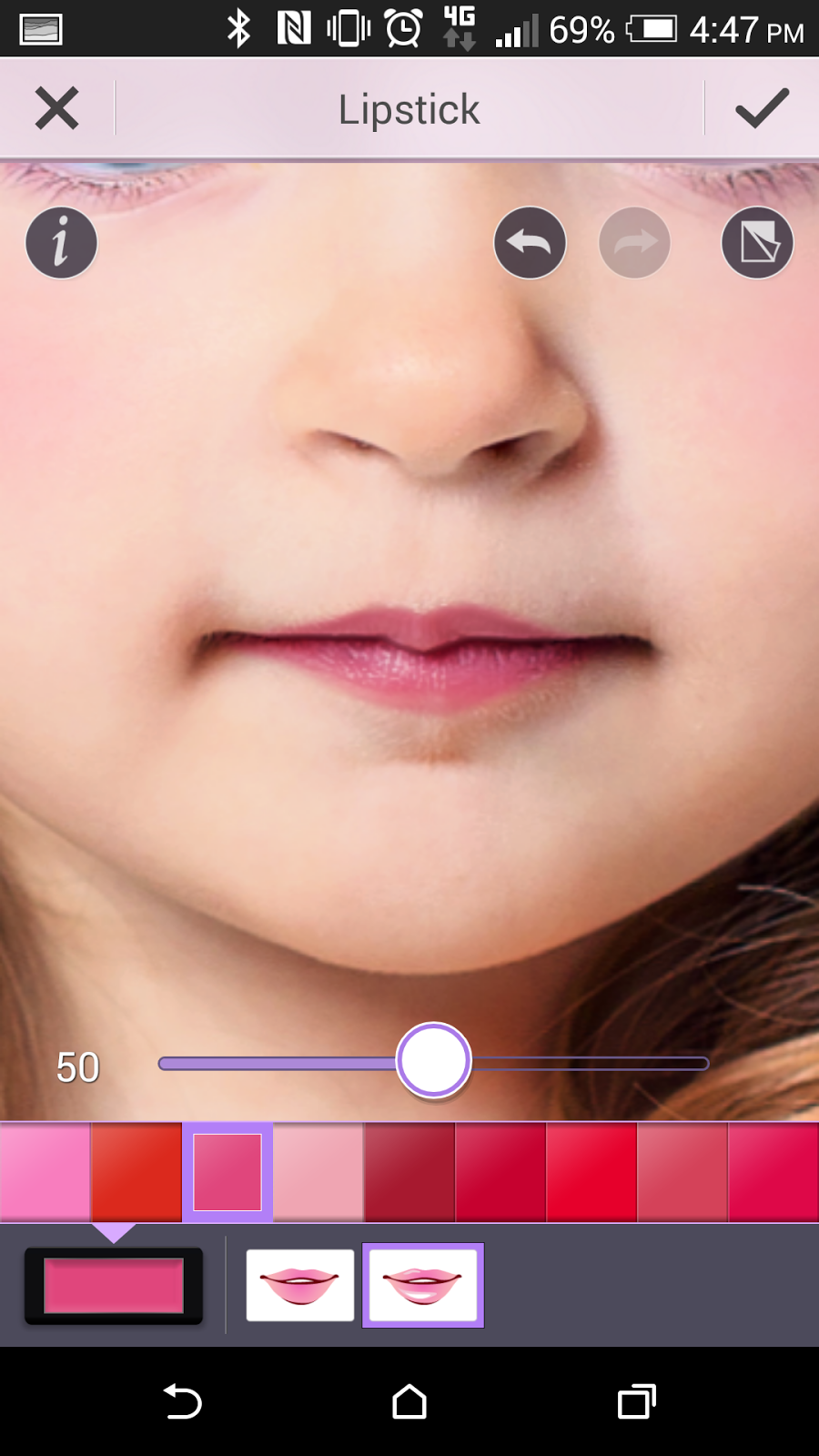
9. Pouty pink lips are also part of Elsa's look. To get her lipstick color, select Lips and Lipstick in magenta at 50% and the glossy style lipstick. 


10. For even more fun after you've completed your Elsa Frozen makeup look, save your photo and select one of the YouCam Perfect Collages to place yourself or your little girl together with the real Elasa character side-by-side. Select from collages with 2-6 photos!


Princess Anna Tutorial in 10 Steps

Want to build a snowman? Try out this innocent and charming princess Anna makeup look first
!

1. If you haven’t already, download and open the YouCam Makeup app, available for Android devices, iPhone and iPad. 

2. Select your photo from the Photo Album. Depending on your own skin tone, you may want to add foundation to make your skin more peachy like Anna’s. To do this, select Skin and Foundation to pick a peach shade.

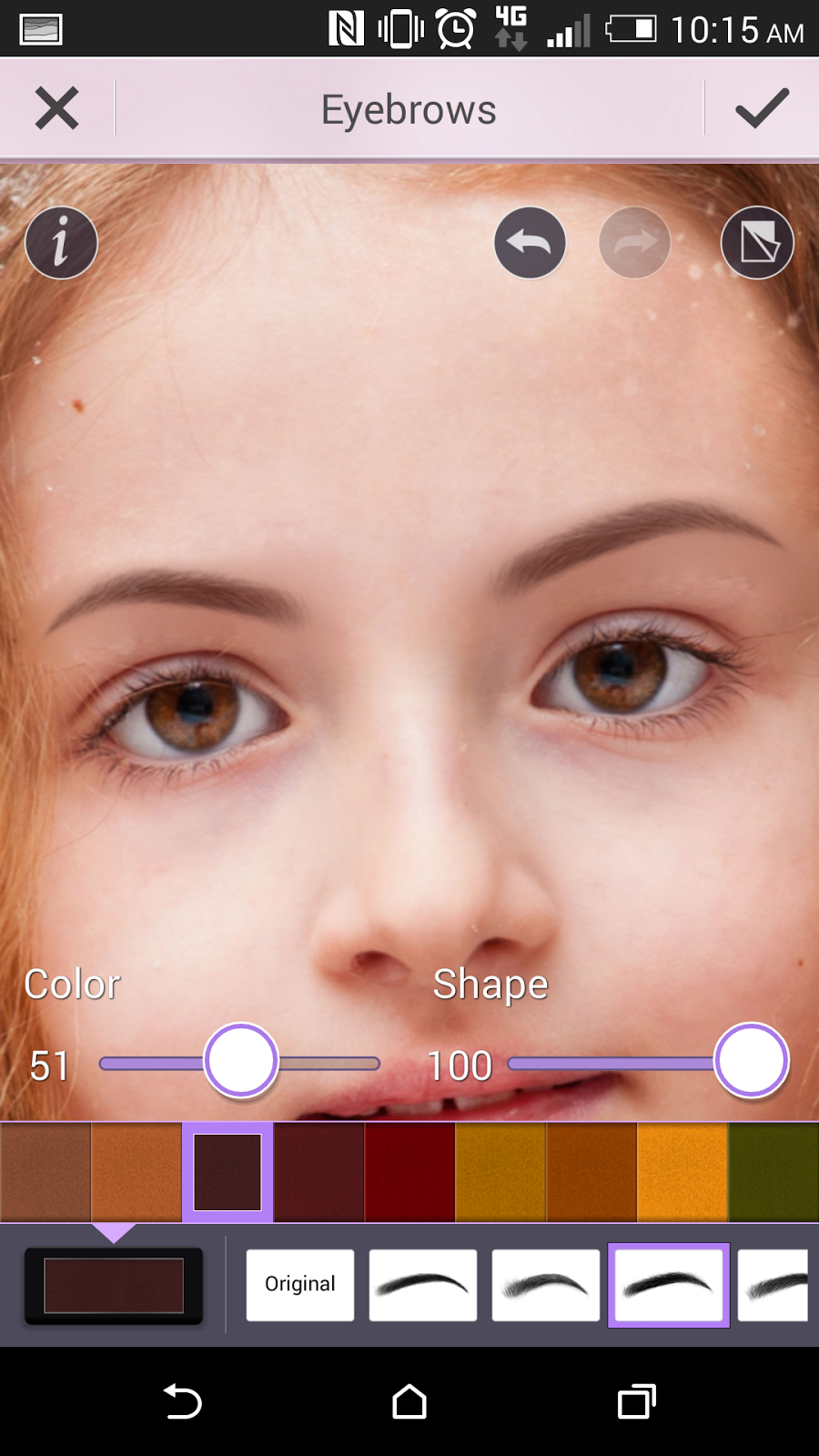
3. Anna's eyebrows are dark and full. To make your brows more like her, go to Eyes and select Eyebrows and use the darkest coffee color. Select the brow style that is straight, thick, and slightly tapers at the end. Use 100% shape and 51% color for full yet soft arches (use the slider to adjust the color intensity).


4. Anna has genuine doe eyes, big and gentle. To make eyes more like hers, select Eye Liner and click "+" to download one of the new eyeliner looks with the soft shadow under the bottom lash line. Download the look and "use" it to apply to your own photo.

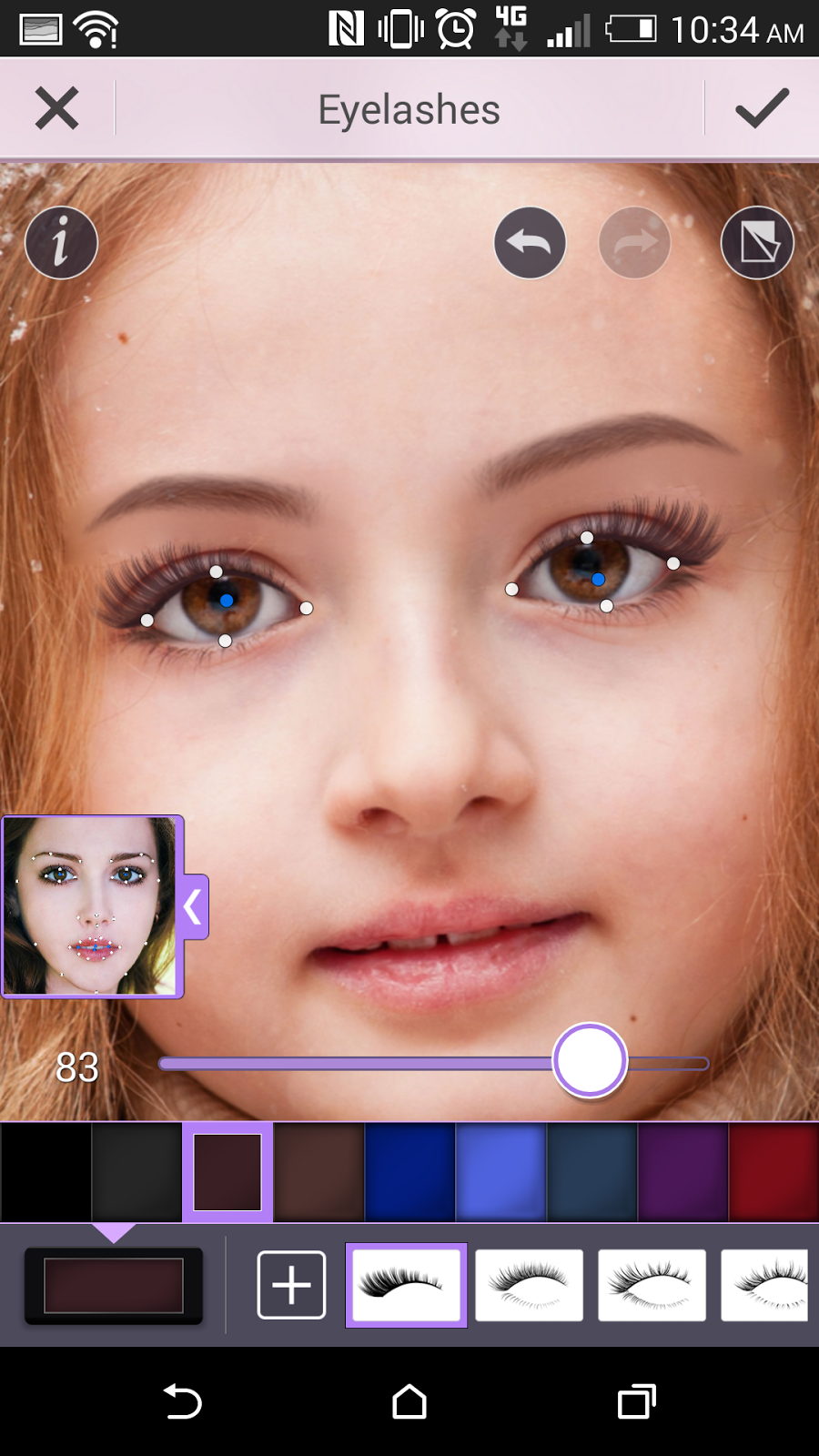
5. Anna's lashes are particularly long and full. To achieve this youthful look, select Eyelashes and and click "+" to download one of the new lash styles, the fullest and longest dramatic lashes. Download the look and "use" it to apply to your own photo. Use dark brown color for the lashes around 80% to soften them (use the slider to adjust).


6. To get the princess's warm, rosy cheeks, select Skin and select Blush in the bright middle shade of pink around 80% (use the slider to adjust).


7. Anna has glossy pink lips. To get her lip color, select Lips and Lipstick in dark pink at around 30% and select the glossy lipstick style.


8. For Anna's simple brown eye shadow, select Eyeshadow and in the color palette and download one of the new shadows. Click "^" to get more colors and select "Sahara Surprise." Download the palette and "use" it to apply to your own photo.


9. Use the strongest shadow application by selecting the style in the eyeshadow application maps that gives you the fullest coverage for your eye.


10. For even more fun after you've completed your Anna Frozen makeup look, save your photo and select one of the YouCam Perfect Collages! Show off your Frozen style together with Anna. 


Friday, 17 October 2014

Top 4 Halloween Face Makeup Ideas


If you're looking for inspiration this Halloween or don't have the time to put together a costume, we've got the top Halloween makeup looks for you to try! 

Use makeup to transform yourself into a Disney villain, Egyptian princess, vampire vixen and more. Before you go out and spend your hard-earned cash on Halloween makeup products, experiment with your face makeup virtually! All the looks below were created with YouCam Makeup app's latest Halloween "Looks," available now for free on Android and coming soon to iOS.

1. A Queen-An Evil or a Beautiful One


Maleficent (Left)- The self-proclaimed “Mistress of All Evil” is the most sinister of Disney Villains. This bewitching, sharp look with chiseled cheeks and red lips is great if you want to look both beautiful and a bit devilish.

Cleopatra (Right)- The infamous Queen of the Nile was an exquisite, stunning beauty. Her distinctive makeup is a classic Halloween look, with dramatic eye makeup made of bold lines, bright blue eyelids, and golden lips.


2. A Vamp- Find Your Gothic Goddess


Vampire- The female vampire look has become popularized recently from books and movies, but this timeless gothic glamour is the ultimate Halloween look that is both classically scary and sultry. Your pale skin, smudged eye makeup and blood-red lips are darkly romantic and eerie, a style consisting of only black, white, and red colors.

3. A Leopard- Get Inspired by the Jungle


Leopard- animal print has become both feminine and fashionable, and leopard eye shadow is a Halloween look that will bring out your wild side. When you want a costume that is more cute than scary, this predator style is prefect for you! In YouCam Makeup, you can customize the color or your leopard spots to make it even more stylish!

4. Poker Face- Try Your Luck


Poker Face- Bring out the gambler in you with this Queen of Hearts and Jack of Spades look. If you want a style that is playful and flirty, then the smoldering eyes and ruby red lips are right for you. Just be careful that your luck doesn't run out too soon.

How are the makeup looks so realistic?
YouCam Makeup uses CyberLink's facial recognition technology on your own photo to recognize your face. With hundreds of makeup apps out in the market, YouCam Makeup provides the most realistic cosmetic overlays for you to achieve that perfect look.

Try it out today for free on the ITunes App Store for iOS and on the Google play Store for Android.